Cloud Asset Inventory Features for Multi-Cloud Management

Ready to get started? View pricing plans or explore the platform.

From resource discovery to AI-powered security findings, CloudVista gives you everything you need to manage your cloud infrastructure across OCI, AWS, Azure, GCP, and VMware vSphere.

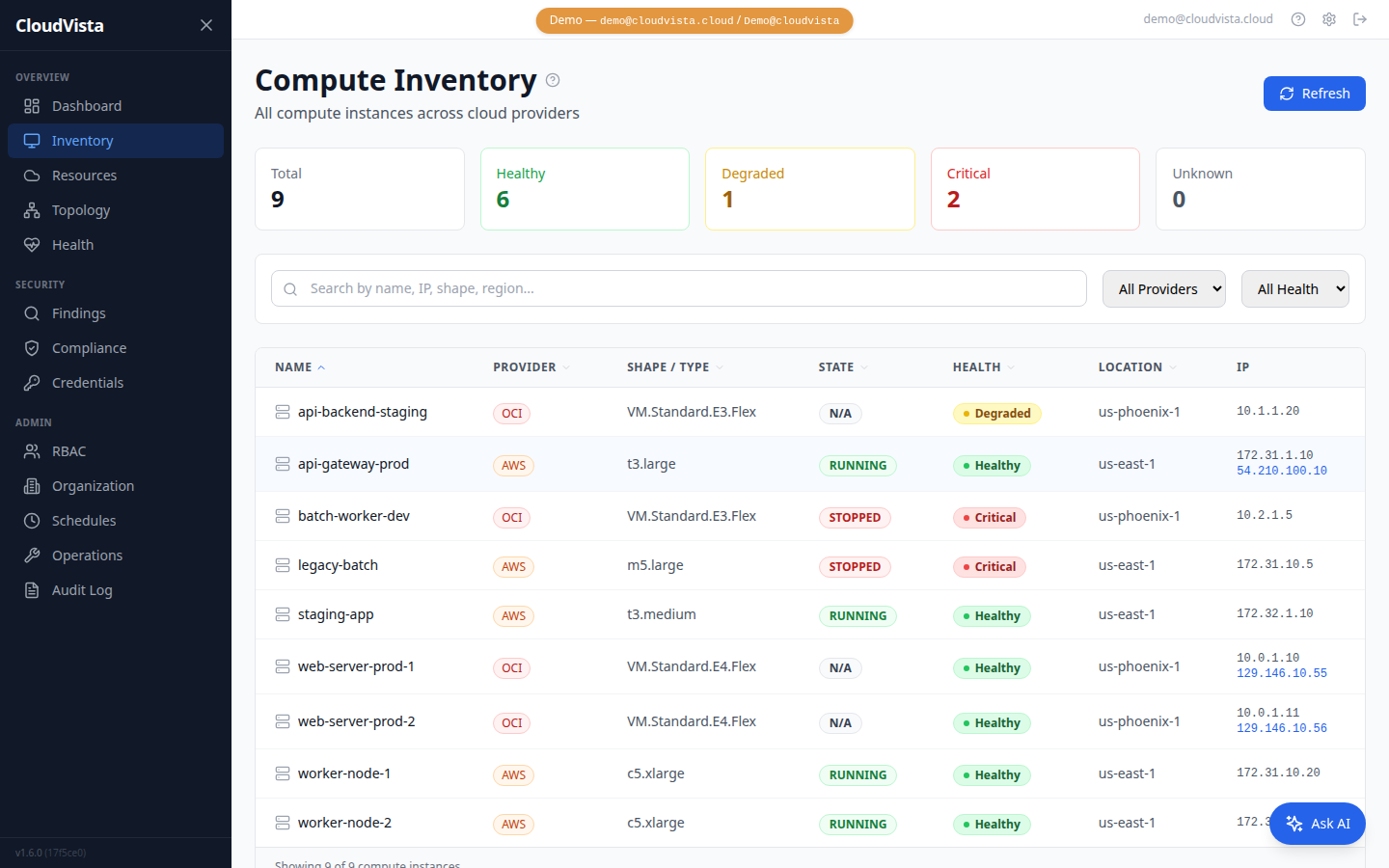
Multi-Cloud Resource Discovery

Automatically discover and catalog resources across Oracle Cloud (OCI), Amazon Web Services (AWS), and Microsoft Azure. Compute instances, virtual networks, subnets, load balancers, databases, storage buckets, and security groups — all in one unified inventory. Schedule daily syncs or trigger on-demand discovery.

Automatically discover and catalog resources across Oracle Cloud (OCI), Amazon Web Services (AWS), and Microsoft Azure. Compute instances, virtual networks, subnets, load balancers, databases, storage buckets, and security groups — all in one unified inventory. Schedule daily syncs or trigger on-demand discovery.
Learn more about Cloud Asset Inventory

Rule-based and AI-powered security analysis across your cloud estate. Identify misconfigurations, compliance gaps, and vulnerabilities with actionable remediation steps.
See our Compliance Guide

  • Single pane of glass for all cloud resources
  • Automatic daily sync with configurable schedule
  • Support for 50+ resource types across 3 providers
  • Real-time change detection with metadata hashing
All Plans
CloudVista Multi-Cloud Inventory

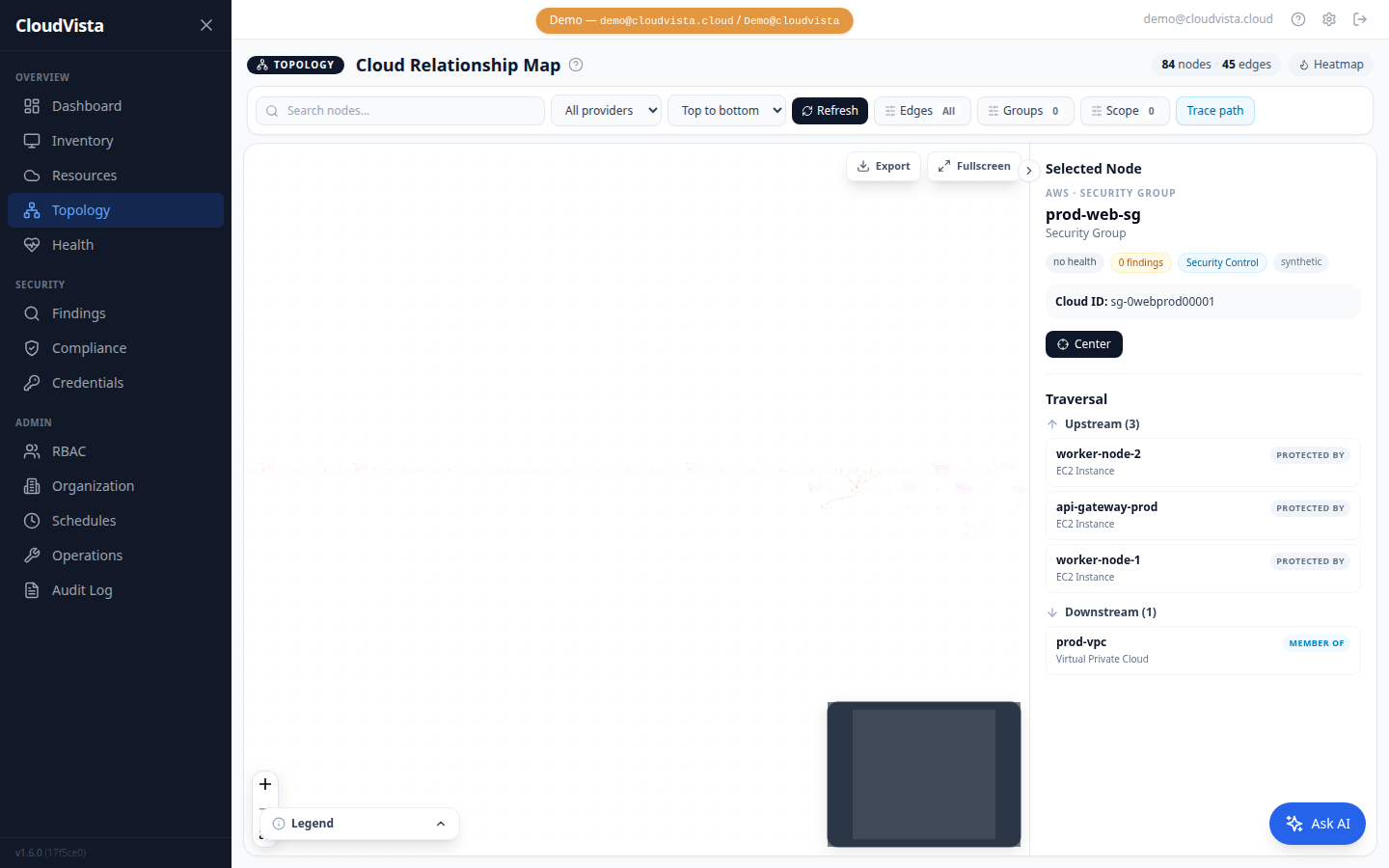
Interactive Topology Maps Unique

Visualize your entire cloud infrastructure as an interactive network graph. See how VPCs connect to subnets, how instances relate to load balancers, and trace network paths between any two resources. Filter by provider, category, or resource type. Export as SVG or PNG.

  • D3.js-powered interactive visualization
  • Provider and resource type filtering
  • Path tracing between any two resources
  • Heatmap mode for health status overlay
  • Export to SVG/PNG for documentation
Team & Enterprise / MSP
CloudVista Interactive Topology Maps

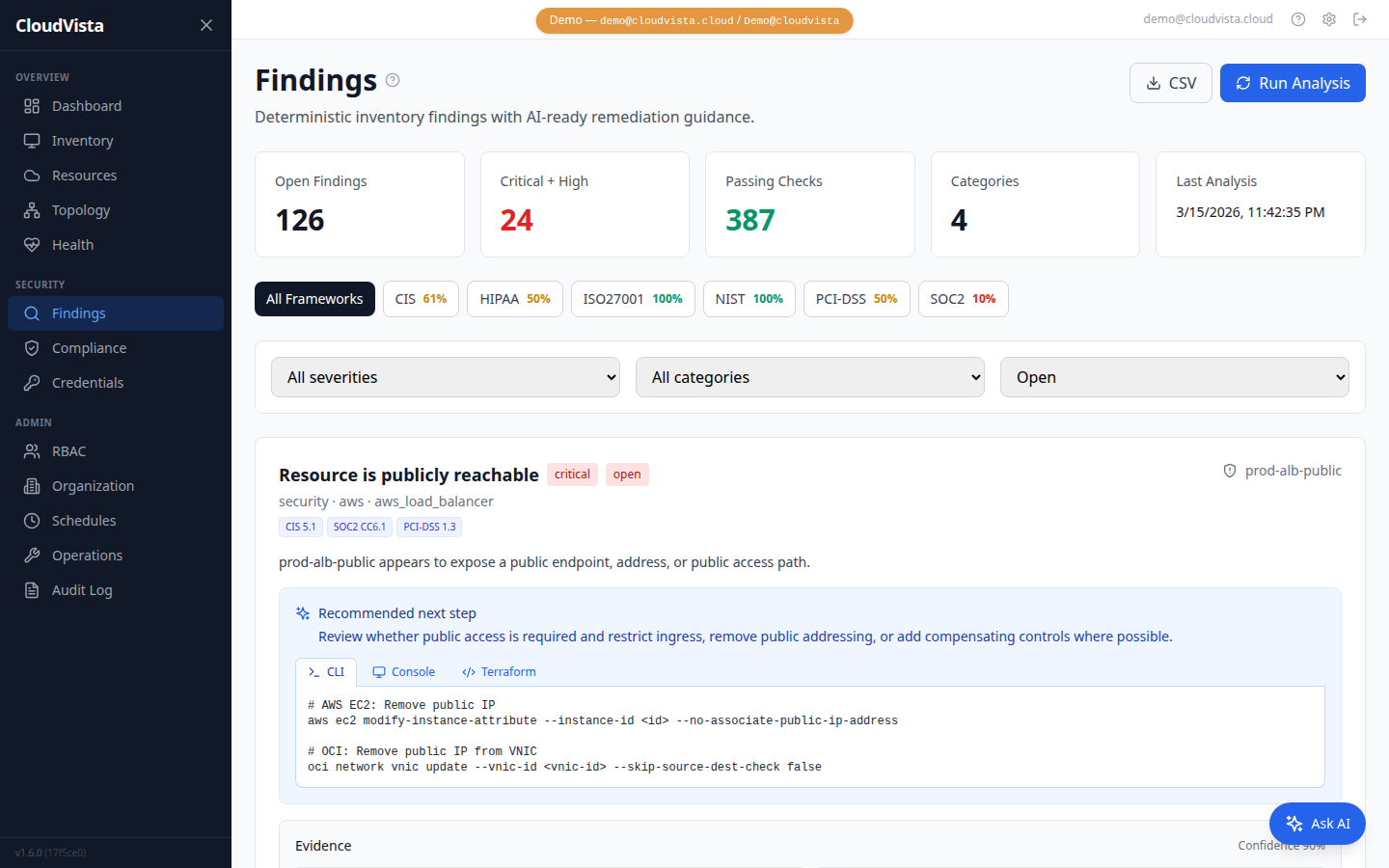
AI-Powered Security Findings Unique

Automated rule-based analysis engine that scans your cloud inventory for security risks, cost waste, and compliance gaps. Detects public exposure, unencrypted storage, open ingress rules, missing tags, stopped compute costs, missing WAF protection, and more.

  • 20+ built-in security rules
  • Severity classification: Critical / High / Medium / Low
  • Compliance framework mapping: CIS, SOC2, PCI-DSS, HIPAA
  • Suppress findings for accepted risks
  • Re-analyze after every sync
Team & Enterprise / MSP
CloudVista AI Security Findings

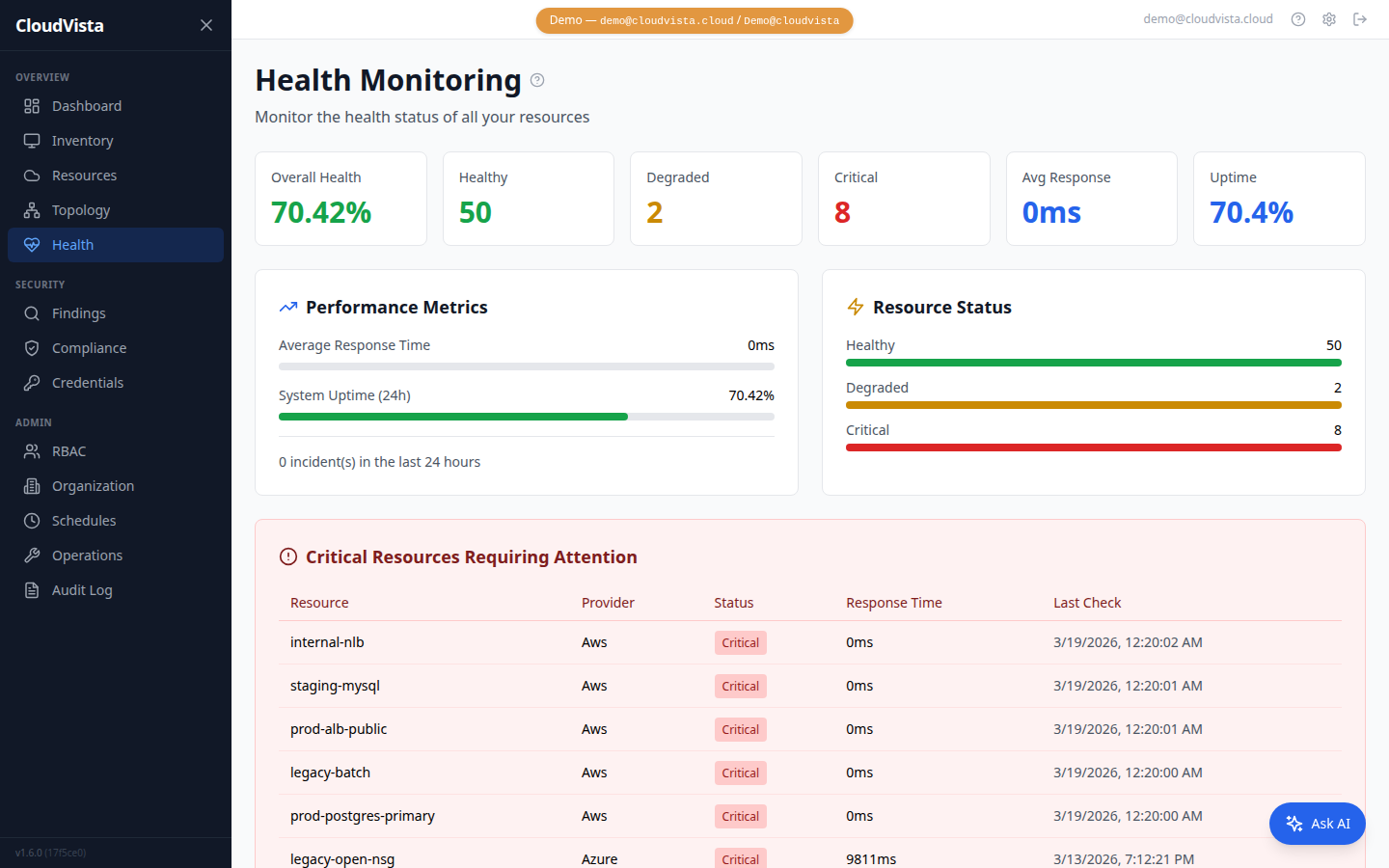
Cloud Resource Health Monitoring

Continuous health checks for all discovered resources. Track status as Healthy, Degraded, Critical, or Unknown. Dashboard shows health percentage, critical resource count, response times, and uptime trends.

  • Real-time health status for every resource
  • Configurable check intervals (5 min to 24 hours)
  • Critical / degraded / healthy classification
  • Historical health trends and uptime tracking
All Plans
CloudVista Health Monitoring

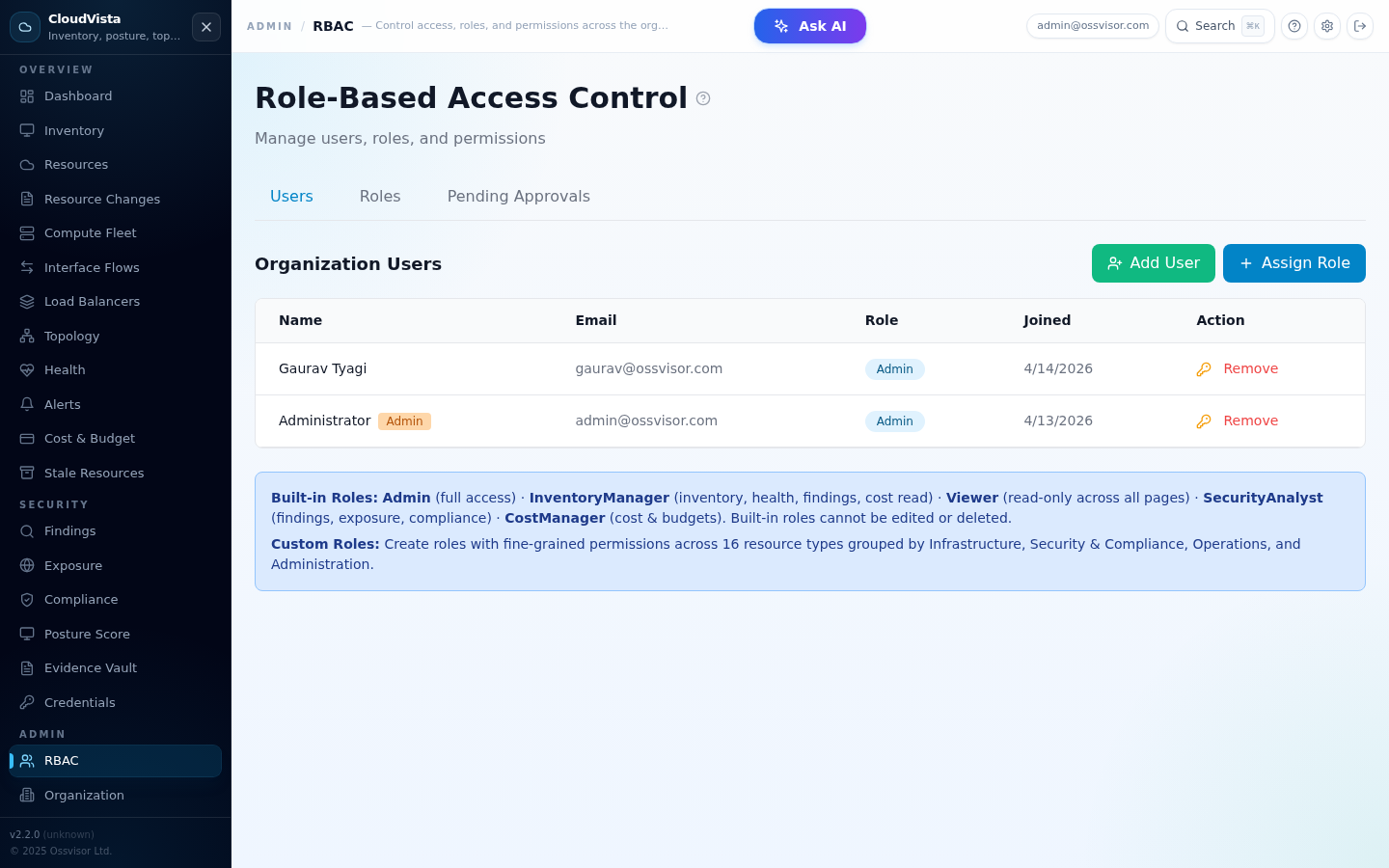
Role-Based Access Control for Cloud Inventory

Fine-grained permission system with built-in roles (Admin, InventoryManager, Viewer) and custom role creation. Control access per resource type and action. Manage users, reset passwords, set default roles for new team members.

  • 3 built-in roles + unlimited custom roles
  • Granular permissions per resource type and action
  • User management with password resets
  • Default role assignment for new members
All Plans (Advanced in Team+)
CloudVista Role-Based Access Control

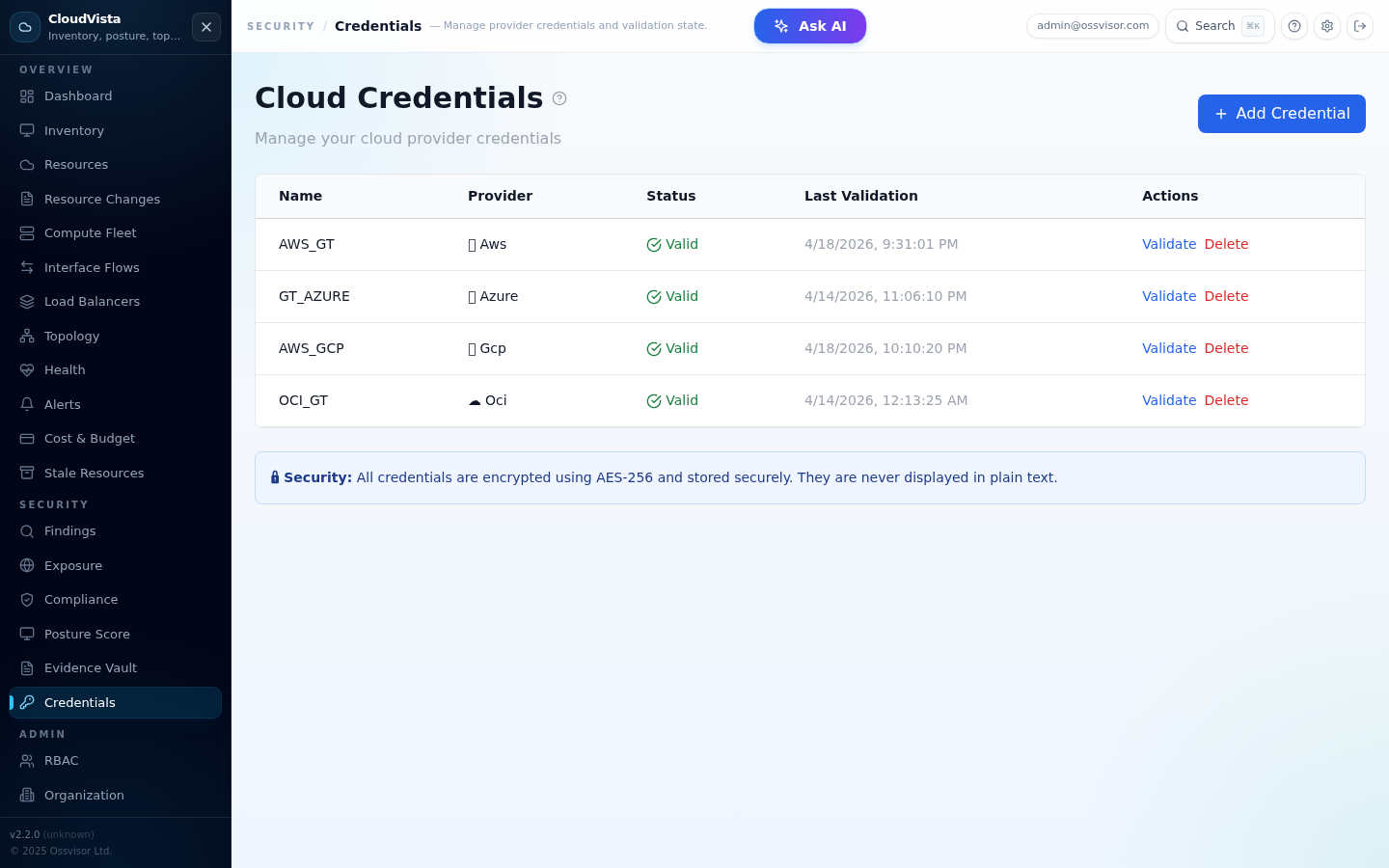
Credential Management

Securely store and manage cloud provider credentials with AES-256 encryption. Validate credentials before use, track last validation time, and soft-delete for audit trail. Supports OCI API keys, AWS access keys, and Azure service principals.

  • AES-256 encrypted credential storage
  • Per-provider validation before use
  • Support for multiple credential types
  • Soft-delete with full audit trail
All Plans
CloudVista Credential Management

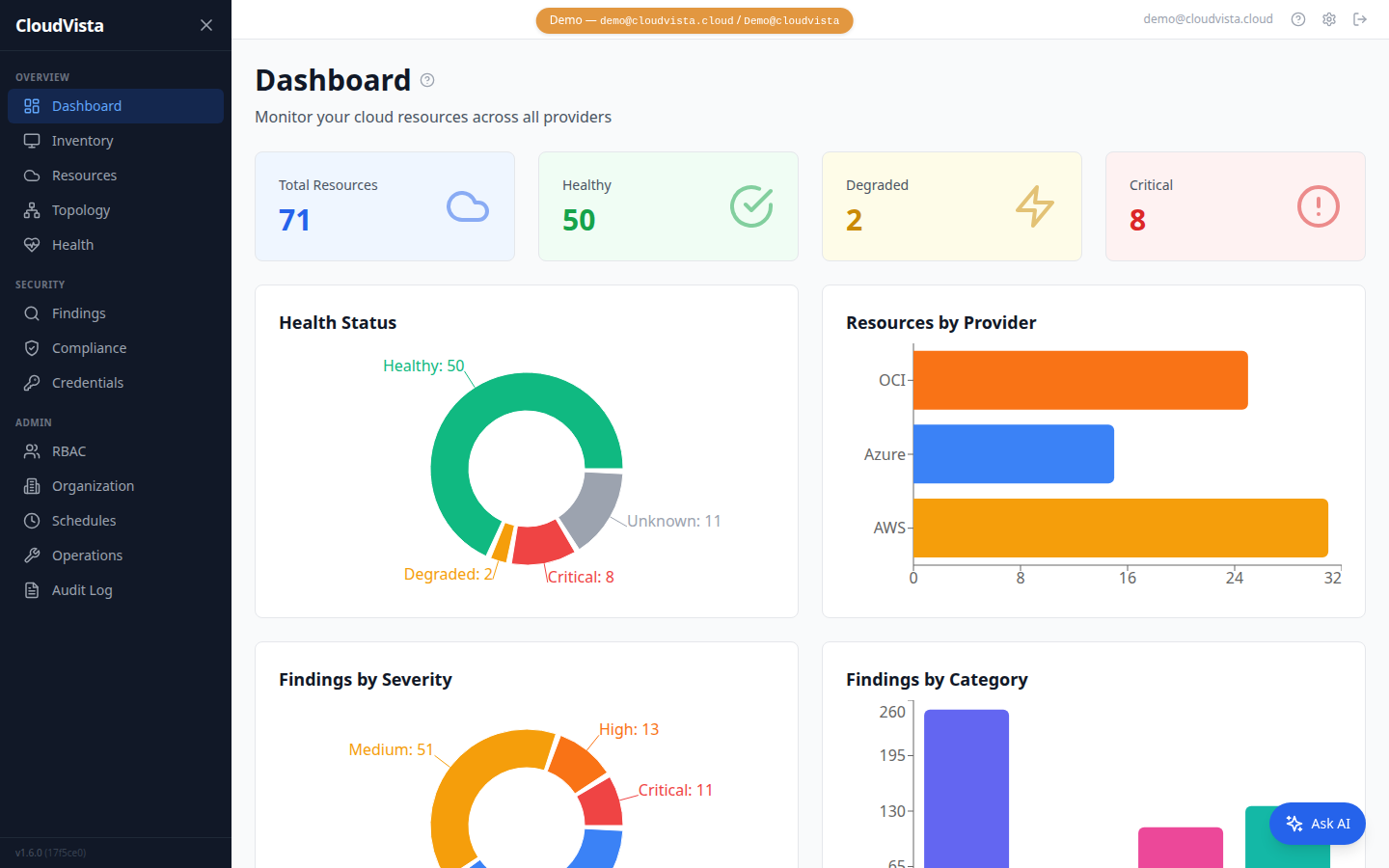
Dashboard & Analytics

Comprehensive overview of your cloud estate. Resource distribution by provider and type, health status breakdown, recent sync history, findings summary, and organization usage vs license limits.

  • Resource count by provider, type, and health
  • Sync status and history
  • Findings summary with severity breakdown
  • Usage tracking vs plan limits
All Plans
CloudVista Dashboard Analytics

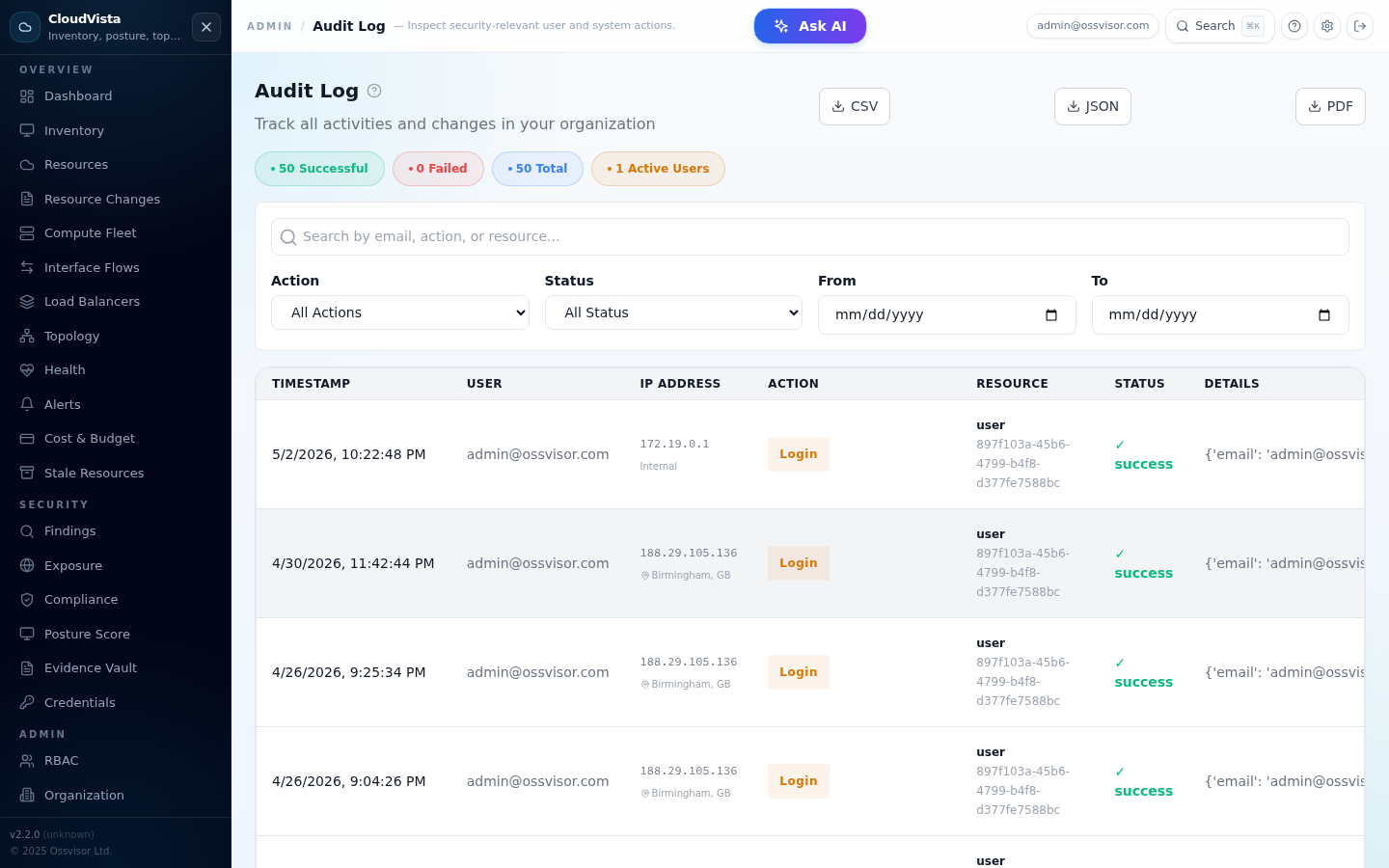
Audit Logging & Compliance

Complete audit trail of all platform actions. Track logins, resource syncs, credential changes, role assignments, and user management. Search and filter by action type, user, and date range.

  • Comprehensive action logging
  • Searchable and filterable audit trail
  • Compliance-ready records
  • Retention policy with automatic cleanup
Enterprise / MSP Only
CloudVista Audit Log

Ready to See These Features in Action?

Start free -- no credit card required -- or explore the live demo.

Get Started Free View Live Demo View Pricing

Cloud Asset Inventory — Frequently Asked Questions

Everything you need to know about CloudVista's multi-cloud inventory and management capabilities.

What cloud resource types does CloudVista inventory?

CloudVista inventories 60+ resource types across all five platforms: AWS (EC2, RDS, S3, VPC, Lambda, ELB, EKS, IAM), Azure (VMs, SQL Databases, Storage Accounts, VNets, AKS), OCI (Compute, Autonomous DB, Object Storage, VCN), GCP (Compute Engine, Cloud SQL, GKE), and VMware vSphere (VMs, ESXi Hosts, Clusters, Datastores, DVS, Resource Pools).

Does CloudVista require agents installed on cloud resources?

No agents required. CloudVista connects via read-only cloud provider APIs — AWS IAM roles, Azure Service Principals, OCI API keys, GCP service accounts, and VMware vCenter read-only credentials. Nothing is installed on your infrastructure.

Can CloudVista manage multiple AWS accounts or Azure subscriptions?

Yes — CloudVista is multi-account and multi-subscription by design. Add credentials per account or subscription. All resources appear in a unified inventory filterable by provider, account, region, or resource type.

How often does CloudVista synchronise the inventory?

Sync frequency is configurable per credential — from hourly for production environments to daily for development. On-demand syncs can be triggered at any time. Each resource is timestamped so you can identify stale or drifted infrastructure.

How does CloudVista differ from AWS Config or Azure Security Centre?

AWS Config and Azure Security Centre cover only their own clouds. CloudVista unifies AWS, Azure, OCI, GCP, and VMware vSphere in one dashboard — plus adds AI security findings, topology maps, multi-framework compliance (CIS, SOC 2, PCI-DSS, HIPAA), cross-cloud cost visibility, and fine-grained RBAC.

Cloud Asset Inventory Is Not CSPM — Here's the Difference

Most "cloud security" tools bolt inventory onto a security scanner. CloudVista starts from inventory and adds security — giving you complete visibility, not just alerts.

CSPM Tools (Wiz, Orca, Lacework)

  • Security-first — inventory is secondary
  • No OCI (Oracle Cloud) support
  • No VMware vSphere / on-premises
  • No transparent pricing — demo required
  • No free tier — $500–$2,000+/month
  • No self-hosted option

CloudVista (Inventory-First)

  • Inventory-first — security builds on top
  • Full native OCI (Oracle Cloud) support
  • VMware vSphere / vCenter integration
  • Transparent pricing — see plans
  • Free forever tier — up to 100 resources
  • Self-hosted Docker option — all plans