CloudVista: Multi-Cloud Inventory & Management

Discover resources across OCI, AWS, Azure, GCP, VMware vSphere and GitHub. Bring multi-cloud inventory, 190+ automated security checks and 7 compliance frameworks into one platform.

Tailored Plans
OCI · AWS · Azure · GCP · VMware · GitHub
AI Security Findings

6

Cloud & On-Prem Providers

60+

Resource Types Discovered

10+

Security Rule Categories

4

Compliance Frameworks

What Makes CloudVista Different

Purpose-built for multi-cloud visibility, security, and control

Multi-Cloud Resource Inventory

Discover and catalog every resource across OCI, AWS, Azure, GCP, and VMware vSphere. Auto-sync on schedule or on-demand collection.

Discover and catalog every resource across OCI, AWS, Azure, GCP, and VMware vSphere. Auto-sync on schedule or on-demand collection.
Learn more about Cloud Asset Inventory

  • Compute instances, VCNs/VPCs, subnets Starter
  • Load balancers, databases, storage buckets Starter
  • Security groups & network resources Starter
  • Scheduled auto-sync Team
  • Unlimited cloud accounts Enterprise / MSP

Interactive Topology Maps

Visual network graph showing real resource relationships. Explore your infrastructure like never before with powerful interactive controls.

  • Node search & provider/category filters Team
  • Path tracing between resources Team
  • Heatmap mode for utilization Operations
  • Zoom, pan & interactive navigation Team
  • Export to SVG/PNG Team

AI-Powered Security Findings

Rule-based analysis engine that continuously detects misconfigurations, exposure risks, and compliance gaps across all your cloud resources.

Rule-based analysis engine that continuously detects misconfigurations, exposure risks, and compliance gaps across all your cloud resources.
See our Compliance Guide

  • Public exposure & open ingress detection Enterprise / MSP
  • Unencrypted storage & missing WAF alerts Enterprise / MSP
  • Severity: Critical / High / Medium / Low Enterprise / MSP
  • CIS, SOC2, PCI-DSS, HIPAA mapping Enterprise / MSP
  • Suppressions for accepted risks Enterprise / MSP

Comprehensive Platform Capabilities

Everything you need to manage and secure multi-cloud infrastructure

Health Monitoring

Real-time health checks for all discovered resources with status tracking and uptime analytics.

  • Status: Healthy / Degraded / Critical / Unknown Starter
  • Health percentage dashboard Starter
  • Response time tracking Team
  • Uptime history & trends Operations

Role-Based Access Control

Fine-grained permissions ensuring the right people have the right access to the right resources.

  • Built-in roles: Admin, InventoryManager, Viewer, SecurityAnalyst, CostManager Starter
  • Custom roles with granular per-page permissions (16 resource types) Enterprise / MSP
  • User management & password resets Starter
  • SSO integration Enterprise / MSP

Credential Management

Secure encrypted storage and validation of cloud provider credentials with rotation reminders.

  • Encrypted credential storage Starter
  • Per-provider validation Starter
  • API keys & service accounts Starter
  • Automatic rotation reminders Team

Dashboard & Analytics

Centralized overview of your entire multi-cloud estate with actionable insights at a glance.

  • Resource distribution by provider & type Starter
  • Health overview & recent sync status Starter
  • Findings summary & severity breakdown Enterprise / MSP
  • Organization usage vs plan limits Operations

Audit Logging

Complete audit trail of every action taken in your CloudVista environment for compliance and accountability.

  • Track logins, syncs, credential changes Enterprise / MSP
  • Role assignment tracking Enterprise / MSP
  • Searchable & filterable by action/date Enterprise / MSP
  • Exportable audit reports Enterprise / MSP

Multi-Cloud Support

Native integration with all major cloud providers and on-premises vSphere, with a unified data model and consistent experience.

  • Oracle Cloud Infrastructure (OCI) Starter
  • Amazon Web Services (AWS) Starter
  • Microsoft Azure Starter
  • Google Cloud Platform (GCP) Starter
  • VMware vSphere / vCenter (on-premises) Team+
  • Unified resource model across all providers Starter

Network Egress Cost Breakdown New

Understand exactly where your data transfer budget is going. CloudVista breaks out network costs by direction and flags hidden charges automatically.

  • Egress cost by direction: in / out / cross-AZ / inter-region Enterprise / MSP
  • AWS NAT Gateway double-charge detection Enterprise / MSP
  • Cross-provider egress rate comparison (OCI vs AWS) Enterprise / MSP
  • Egress tax score — network as % of total bill Enterprise / MSP
  • Network-specific budgets & alerts Enterprise / MSP

12-Month Spend Forecasting New

Stop guessing next quarter’s cloud bill. CloudVista projects 12-month spend with per-category breakdown using your actual historical growth rates.

  • 12-month projection with conservative / base / aggressive scenarios Enterprise / MSP
  • Per-category breakdown: compute, storage, network, database & more Enterprise / MSP
  • Per-category CAGR — each spend area grows at its own rate Enterprise / MSP
  • Cost anomaly detection & budget breach alerts Enterprise / MSP

See CloudVista in Action

Screenshots from a live CloudVista environment
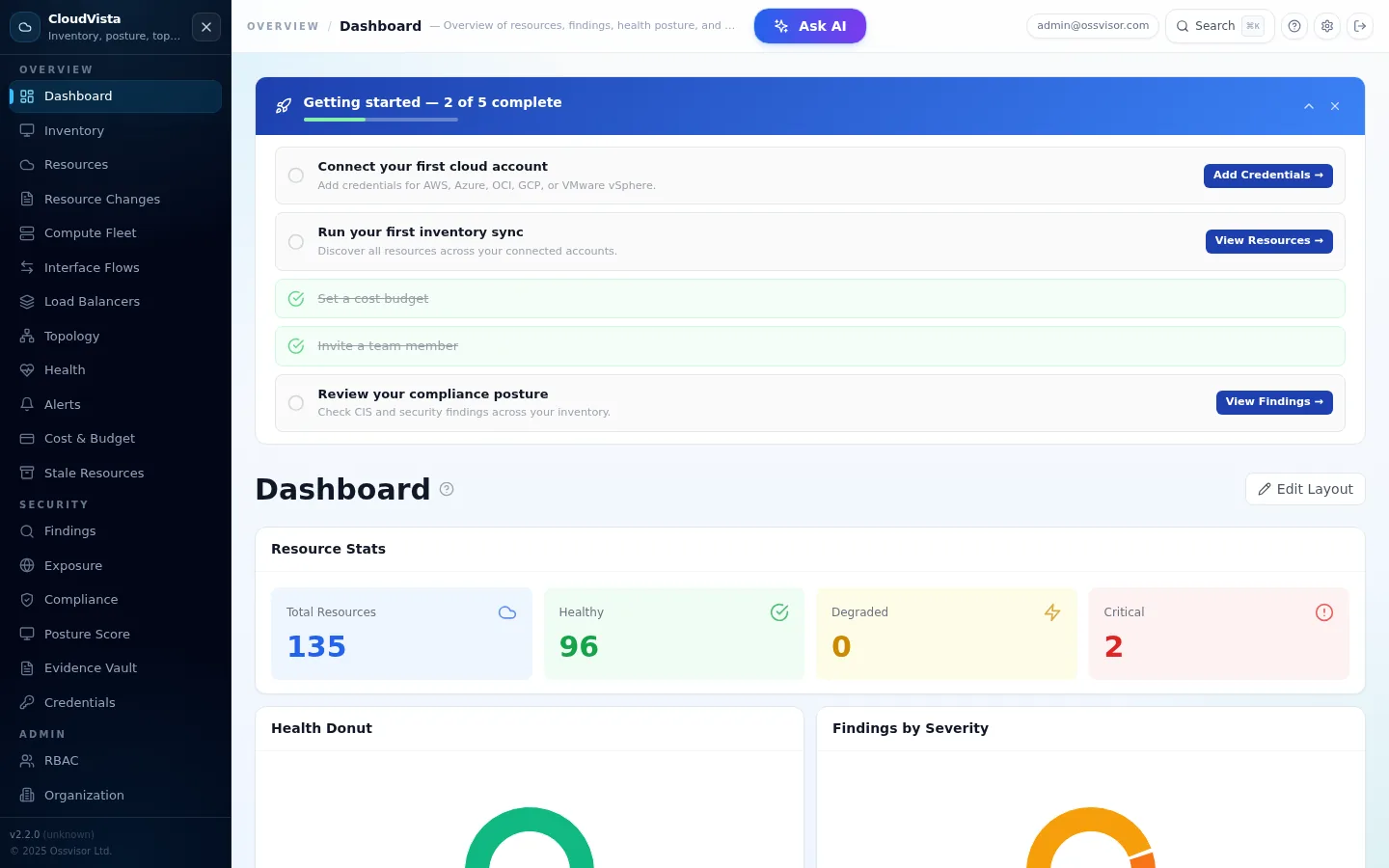
CloudVista Dashboard

Unified dashboard with health status, resource distribution, findings overview, and compliance charts
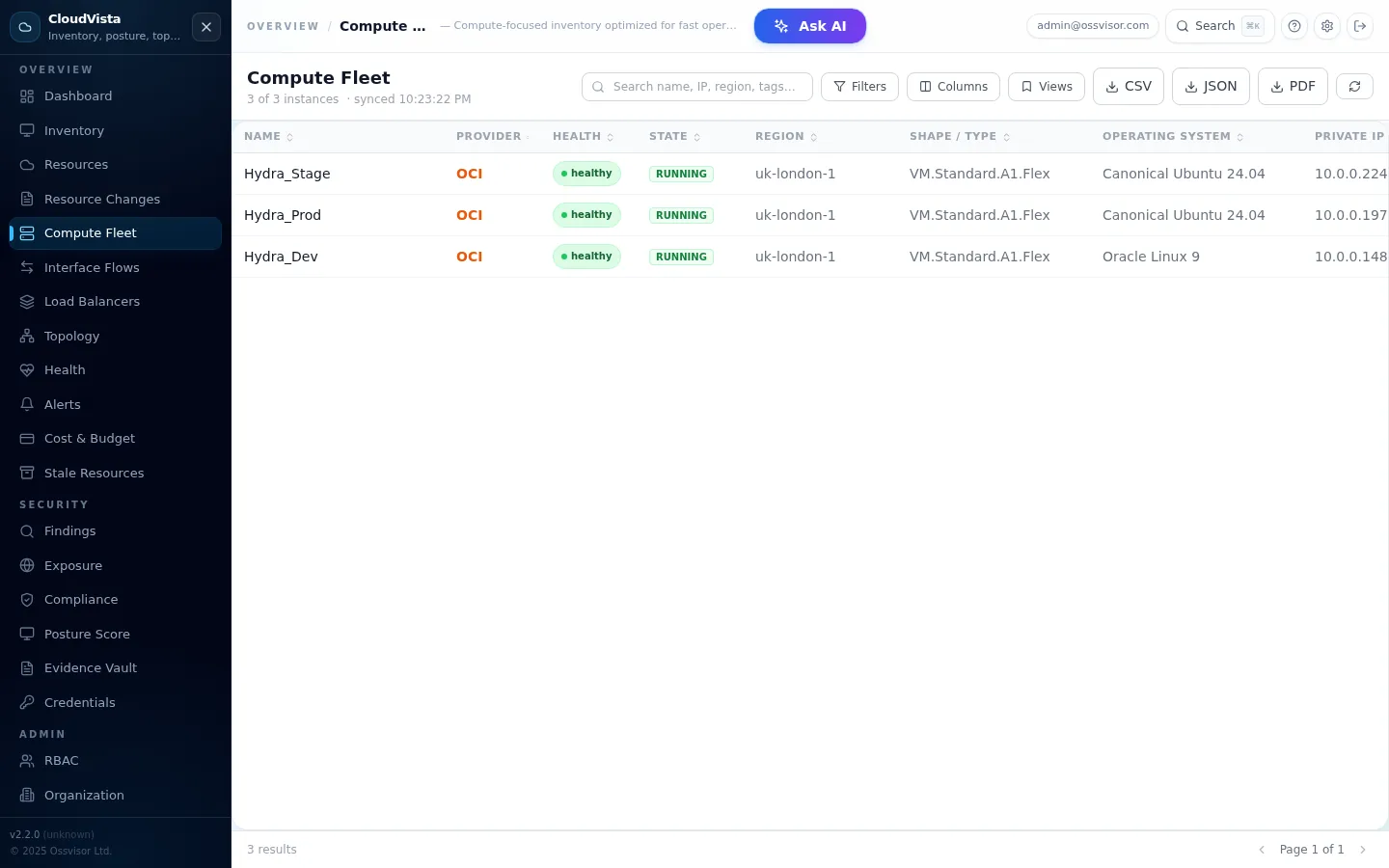
CloudVista Resources

Resource inventory across all providers
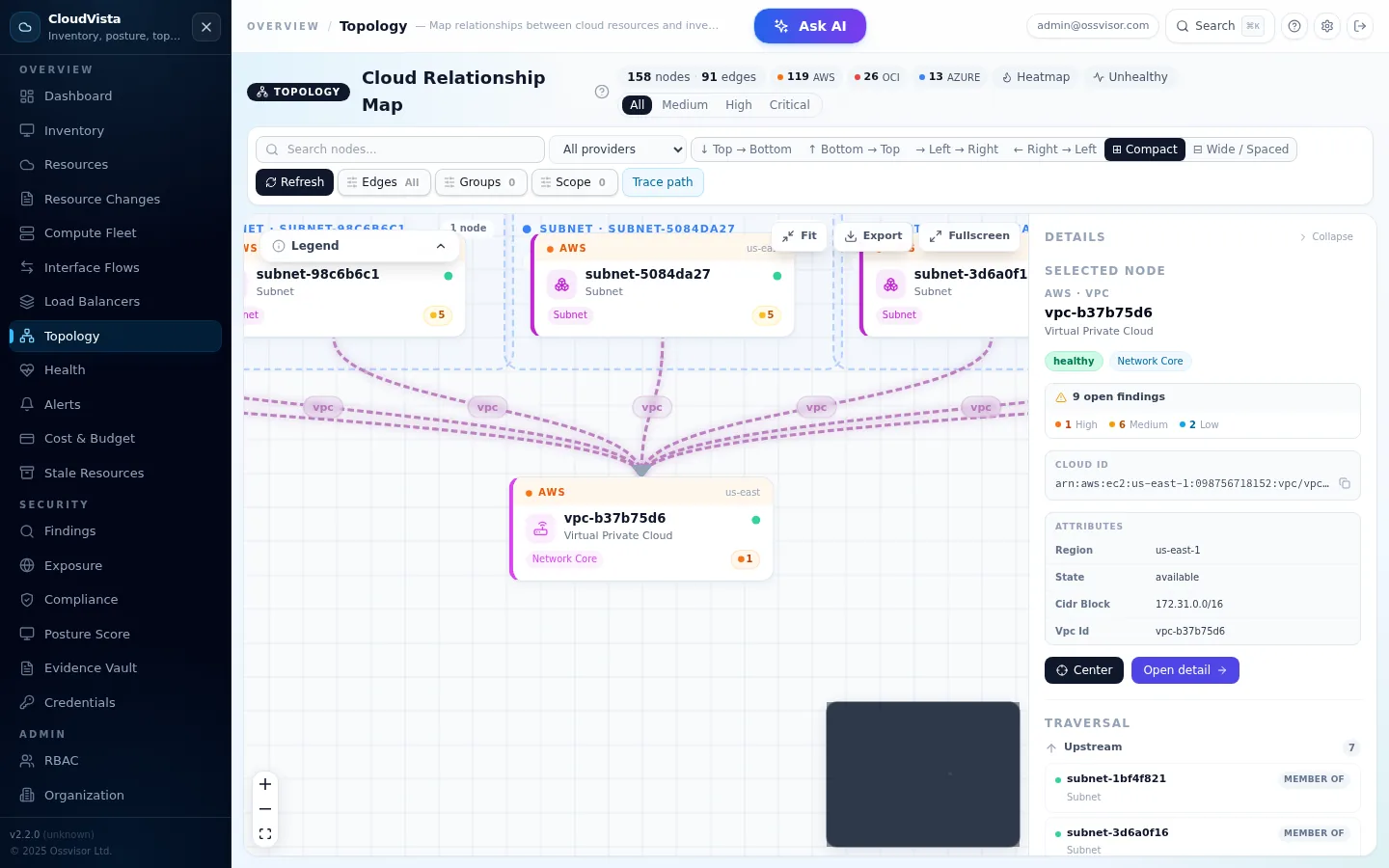
CloudVista Topology

Interactive cloud relationship map

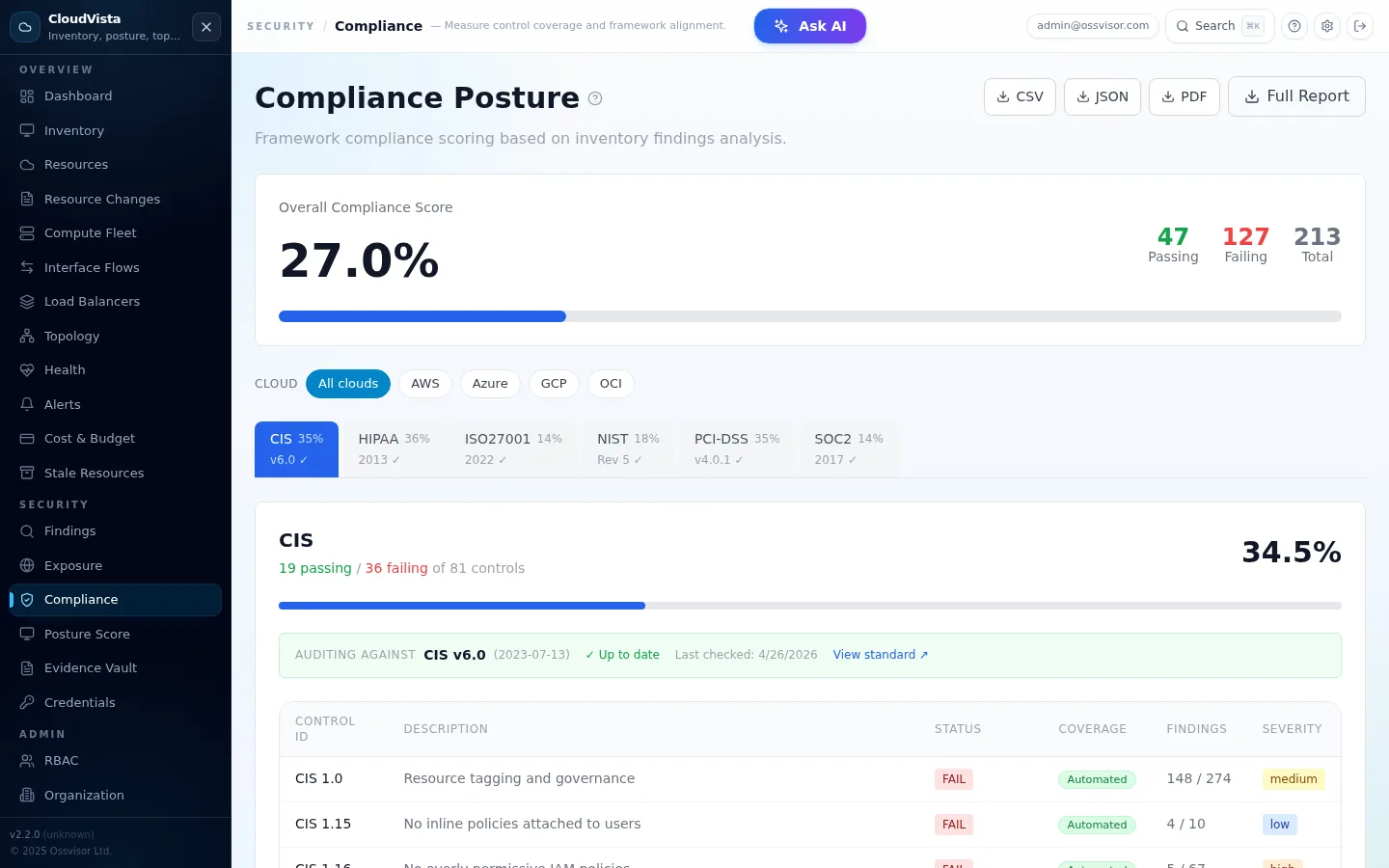
CloudVista Compliance

Compliance posture

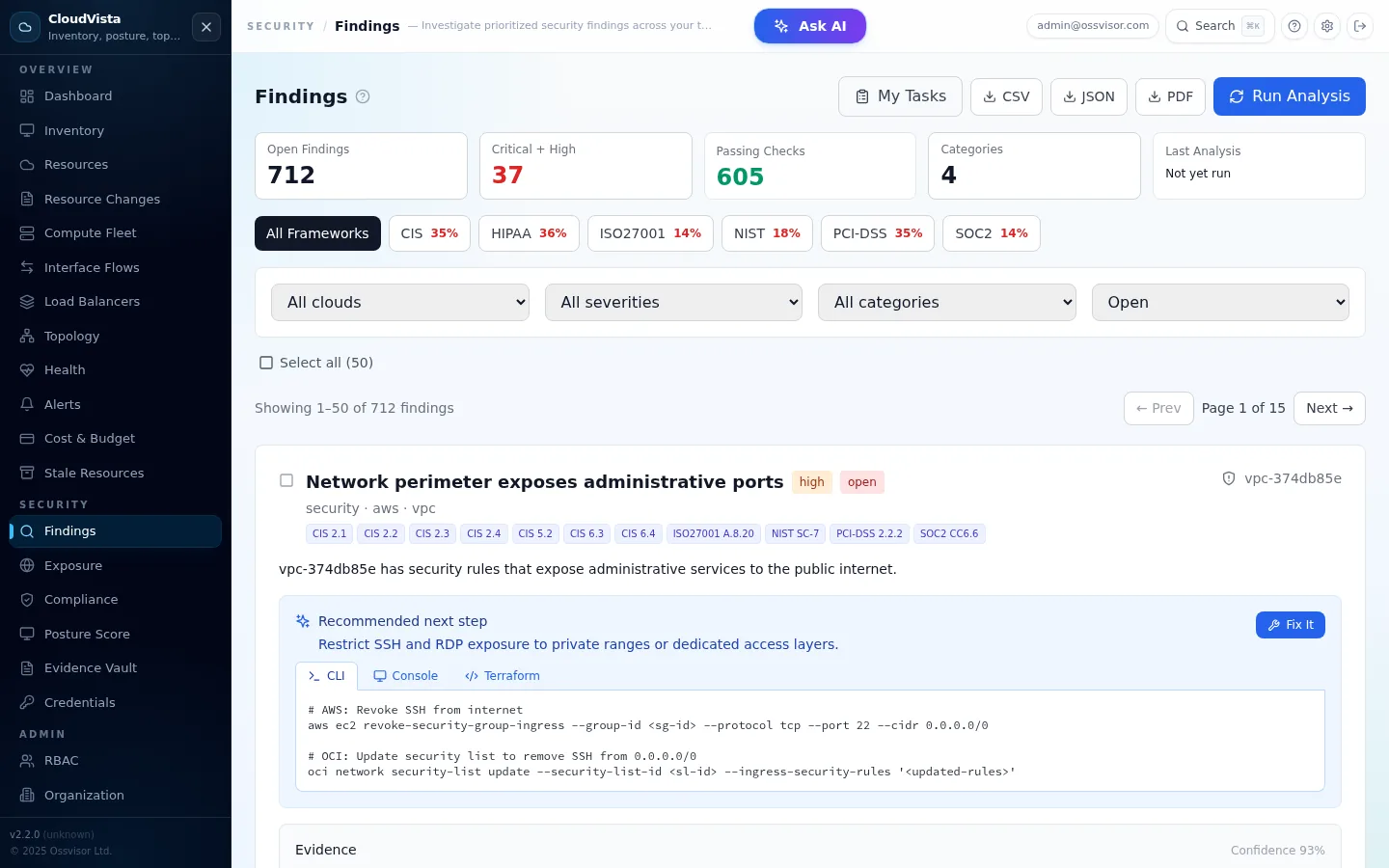
CloudVista Findings

AI security findings

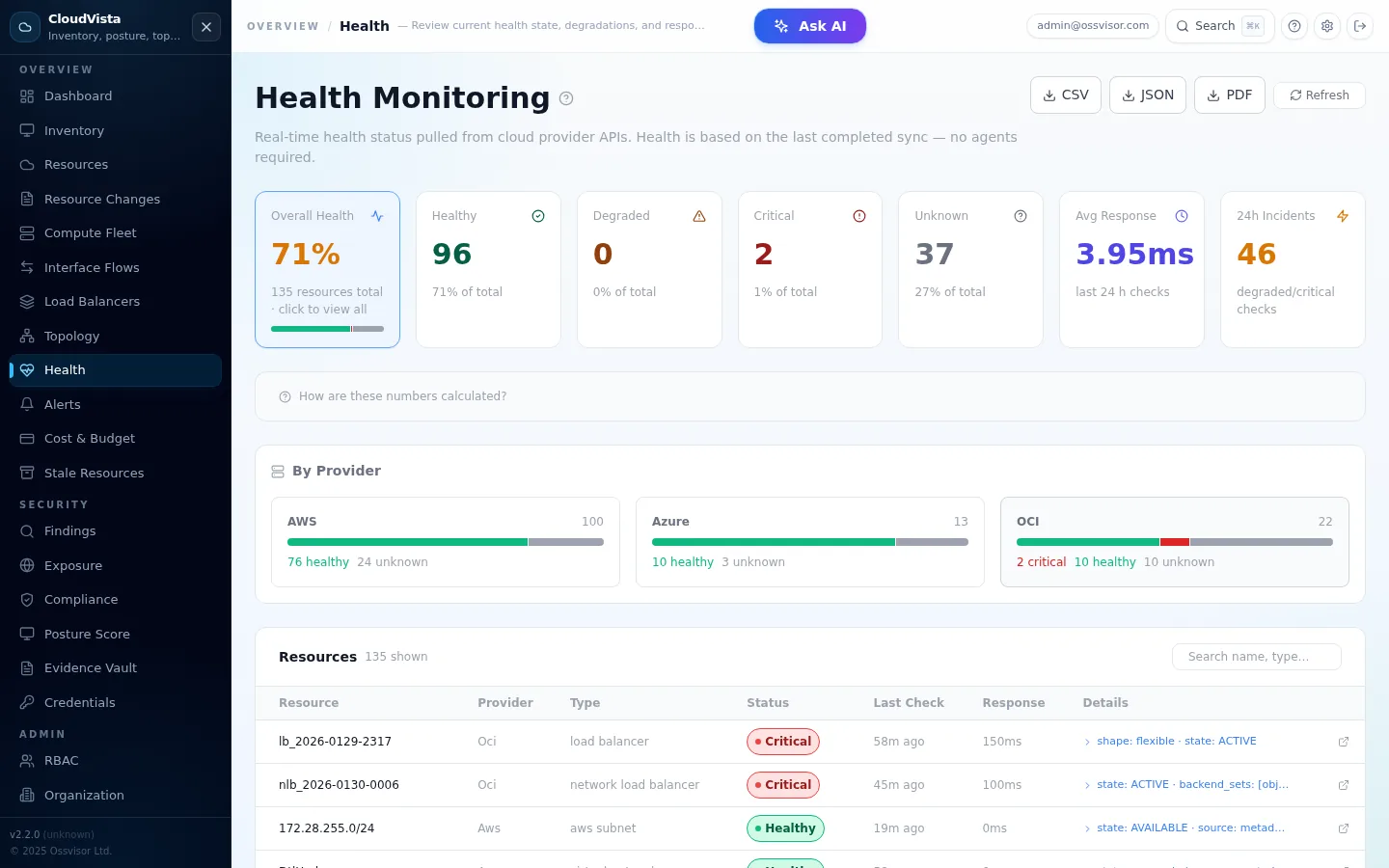
CloudVista Health

Health monitoring

Choose the Right Plan

From focused inventory to enterprise-grade cloud management

STARTER

Starter

For focused cloud visibility

  • 1 cloud account
  • 50 resources
  • 1 user
  • Health monitoring
TEAM

Team

For small internal cloud or infra teams

  • 3 cloud accounts
  • 500 resources
  • 10 users
  • Topology maps
POPULAR

Operations

For multi-cloud teams managing compliance at scale

  • Unlimited accounts
  • 2,000 resources
  • 50 users
  • Custom roles
ENTERPRISE / MSP

Enterprise / MSP

For large organisations & managed service providers

  • Unlimited everything
  • SSO integration
  • AI security findings
  • Audit logs

Plans That Scale With Your Environment

Every plan is tailored to your environment. Talk to our team about inventory, topology maps, AI findings, VMware vSphere support, cost visibility, custom RBAC and audit logging.

Flexible Deployment Options

Choose the deployment model that fits your organization's requirements

SaaS (Cloud Hosted)

Fully managed cloud platform with automatic updates, zero infrastructure management, and instant onboarding

Key Benefits:

  • Tailored plan for your environment
  • Automatic updates & patches
  • Managed backups & high availability
  • No infrastructure to manage
  • Scale from Starter to Enterprise / MSP

Subscription Plans

Starter

1 account, 50 resources

Team

3 accounts, 500 resources

Operations

Unlimited accounts, 2K resources

Enterprise / MSP

Unlimited everything

Talk to Us About a Plan

Self-Hosted (On-Premise)

Deploy CloudVista on your own infrastructure with Docker Compose for complete control and data sovereignty

Key Benefits:

  • Complete data sovereignty
  • Docker Compose deployment
  • Air-gapped network support
  • Custom compliance requirements
  • License key activation

License Options

Annual License

Per-organization

Enterprise / MSP License

Unlimited + support

Contact Sales

Perfect for Every Organization Type

From individual developers to large enterprises managing multi-cloud estates

Individuals & Startups

Starter Plan Profile

  • Team Size: 1 user
  • Cloud Accounts: 1 provider
  • Resources: Up to 100
  • Plan: Tailored to your requirements
  • Needs: Basic inventory & health monitoring
Small Cloud & Infra Teams

Team Plan Profile

  • Team Size: Up to 10 users
  • Cloud Accounts: 3 across OCI/AWS/Azure
  • Resources: Up to 500
  • Environment: Multi-cloud with topology
  • Needs: Topology maps, scheduled syncs, credential management
Multi-Cloud Operations Teams

Operations Plan Profile

  • Team Size: Up to 50 users
  • Cloud Accounts: Unlimited
  • Resources: Up to 2,000
  • Environment: Multi-cloud with custom RBAC
  • Needs: Custom roles, heatmaps, usage analytics
Large Enterprises & MSPs

Enterprise / MSP Plan Profile

  • Team Size: Unlimited users
  • Cloud Accounts: Unlimited
  • Resources: Unlimited
  • Compliance: CIS, SOC2, PCI-DSS, HIPAA
  • Needs: SSO, AI findings, audit logs, dedicated support

Supported Resource Types

Comprehensive discovery across all major cloud providers

Compute

  • OCI Compute Instances
  • AWS EC2 Instances
  • Azure Virtual Machines
  • GCP Compute Engine & VMware VMs

Networking

  • VCNs / VPCs
  • Subnets
  • Load Balancers
  • Security Groups / NSGs
  • Internet & NAT Gateways

Storage

  • S3, Azure Storage & Cloud Storage
  • Block Volumes
  • EBS, Managed & Persistent Disks
  • Encryption settings

Databases

  • OCI Autonomous DB
  • AWS RDS Instances
  • Azure SQL
  • Backup settings

Security Findings

  • Public exposure detection
  • Unencrypted storage alerts
  • Open network ingress
  • Missing tags & WAF
  • Stopped compute cost alerts
  • Metadata v1 detection

Compliance Frameworks

  • CIS Benchmarks
  • SOC 2
  • PCI-DSS
  • HIPAA

Why Teams Switch to CloudVista

See how we compare to cloud-native consoles, spreadsheets, and legacy tools

Capability CloudVista Cloud Consoles Spreadsheets Legacy CMDB
Live multi-cloud sync ✓ Per-cloud only Manual export Agent-based
AI-powered analysis ✓ ✗ ✗ ✗
Tenant isolation ✓ Single account Shared files Bolt-on
CIS compliance mapping ✓ Separate tool ✗ ✗
Visual topology maps ✓ Basic ✗ Limited
Zero-agent deployment ✓ ✓ ✓ ✗
Full audit trail ✓ CloudTrail etc ✗ Partial
Self-hosted option ✓ ✗ ✗ ✗
Setup time Minutes N/A Weeks Months

Live in One Week. Active work: 4 Hours.

No agents. No infrastructure changes. No consultants. Just connect and go.

DAY 1 · 15 min

Setup

  • Create tenant account
  • Invite team & assign roles
  • Configure RBAC permissions
DAY 1 · 30 min

Connect

  • Add cloud credentials
  • AES-256 encrypted at rest
  • Validate connectivity live
DAY 1-2 · 1-2 hrs

First Sync

  • Trigger initial inventory sync
  • Review unified dashboard
  • Explore topology & findings
DAY 3-5 · 2-4 hrs

Optimize

  • Schedule automated syncs
  • Configure AI assistant
  • Train team on features
DAY 5-7 · DONE

Go Live

  • Full production visibility
  • Compliance reports ready
  • Handed off to operations

Total active effort: 4-8 hours spread across one week · No agents · No infra changes · Guided setup wizard

Ready to See Your Entire Cloud Estate?

Talk to our team about the CloudVista plan that fits your environment, then discover resources across OCI, AWS, Azure, GCP, VMware vSphere and GitHub in minutes.

Tailored Plans
OCI · AWS · Azure · GCP · VMware · GitHub
AI Security Findings
Topology Maps

CloudVista — Frequently Asked Questions

Common questions about the CloudVista cloud asset inventory platform.

What is CloudVista?

CloudVista is a multi-cloud asset inventory and management platform by OSSVISOR. It auto-discovers resources across AWS, Azure, OCI, GCP, and VMware vSphere, providing a unified dashboard for inventory, security findings, compliance, cost analysis, topology maps, and health monitoring.

Is CloudVista SaaS or self-hosted?

Both. CloudVista is available as a managed SaaS at cloudvista.cloud and as a self-hosted Docker Compose deployment. Self-hosted gives full data sovereignty — your cloud credentials and resource data never leave your infrastructure.

Which cloud providers does CloudVista support?

CloudVista supports AWS, Microsoft Azure, Oracle Cloud (OCI), Google Cloud Platform (GCP), and VMware vSphere / vCenter. Native OCI and VMware support distinguishes CloudVista from most competing cloud inventory tools.

How long does CloudVista take to set up?

Under 10 minutes. Create an account, add a read-only cloud credential, and CloudVista begins discovering resources immediately. The first sync completes in 2–5 minutes for most environments.

How do I choose a plan?

CloudVista plans are tailored to your cloud environment, resource count, provider mix and security requirements. Contact our team to discuss the right package for your organisation.